Two-minute product tour

See how CordoCare carries support coordination from the first call to the final bill.

These are current CordoCare screens using synthetic records. Follow the four moments that keep participant context, evidence, authorised AI work and billing connected.

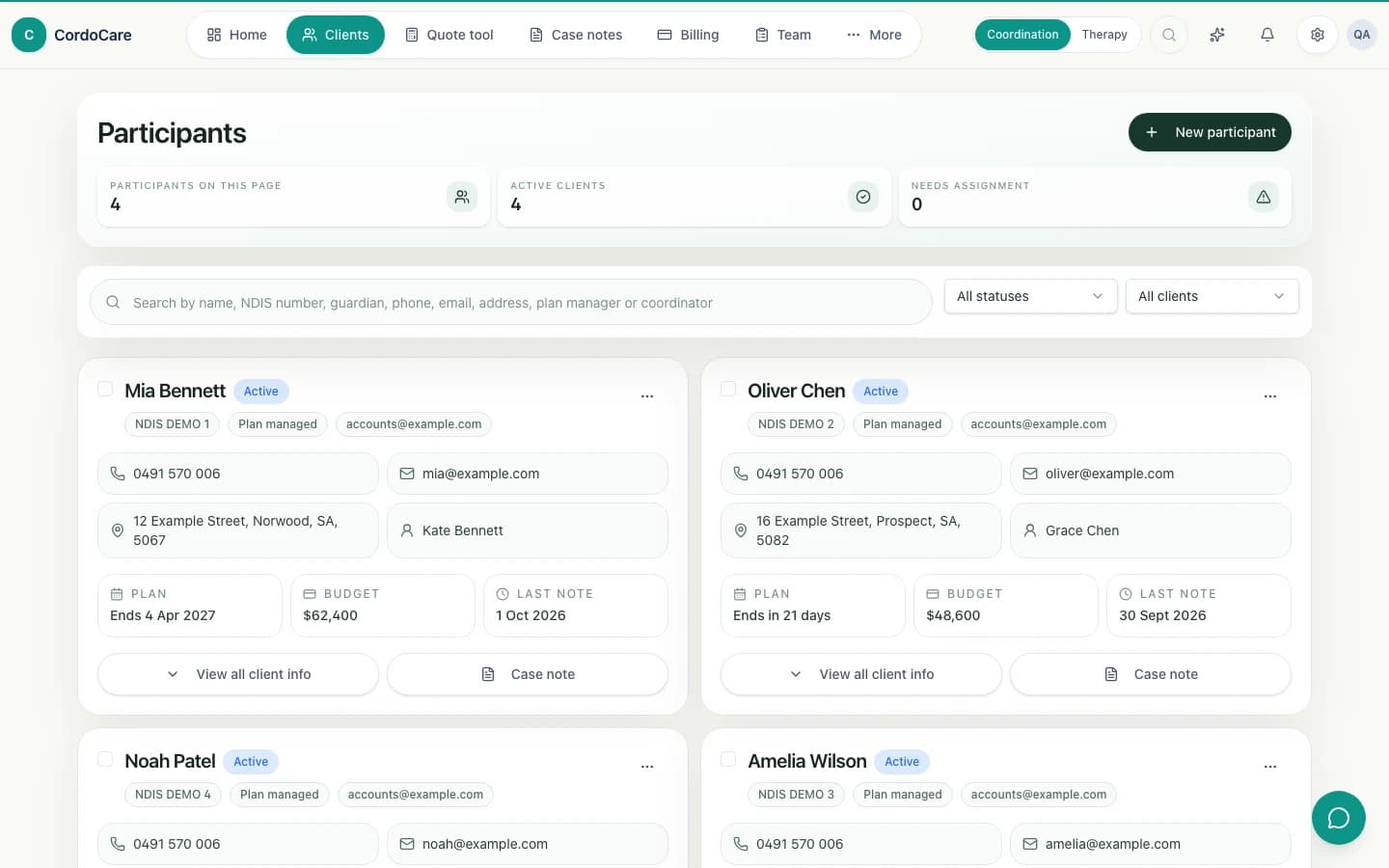
CordoCare client workspace with synthetic participant records and plan context
STEP 01

Open the participant story, not five separate systems.

Start with the client workspace. See ownership, plan dates, budget context, contacts and the most recent evidence before choosing the next action.

  • Search across participant and contact details
  • See plan, budget and recent note context together
  • Create the next case note from the participant card
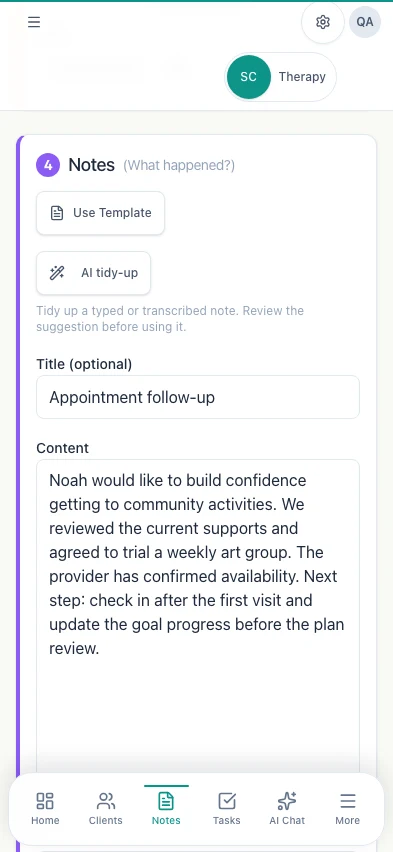
CordoCare mobile case note with transcription, Draft, Humanise and Easy Read actions
STEP 02

Capture the evidence while the work is still fresh.

Record the activity, support item, duration and notes from mobile or desktop. Transcribe voice, create a structured draft, humanise wording or produce an Easy Read version, then review it yourself.

  • Voice transcription and AI-assisted drafting
  • Billable duration, support item and travel context
  • Human review before a note is finalised or billed
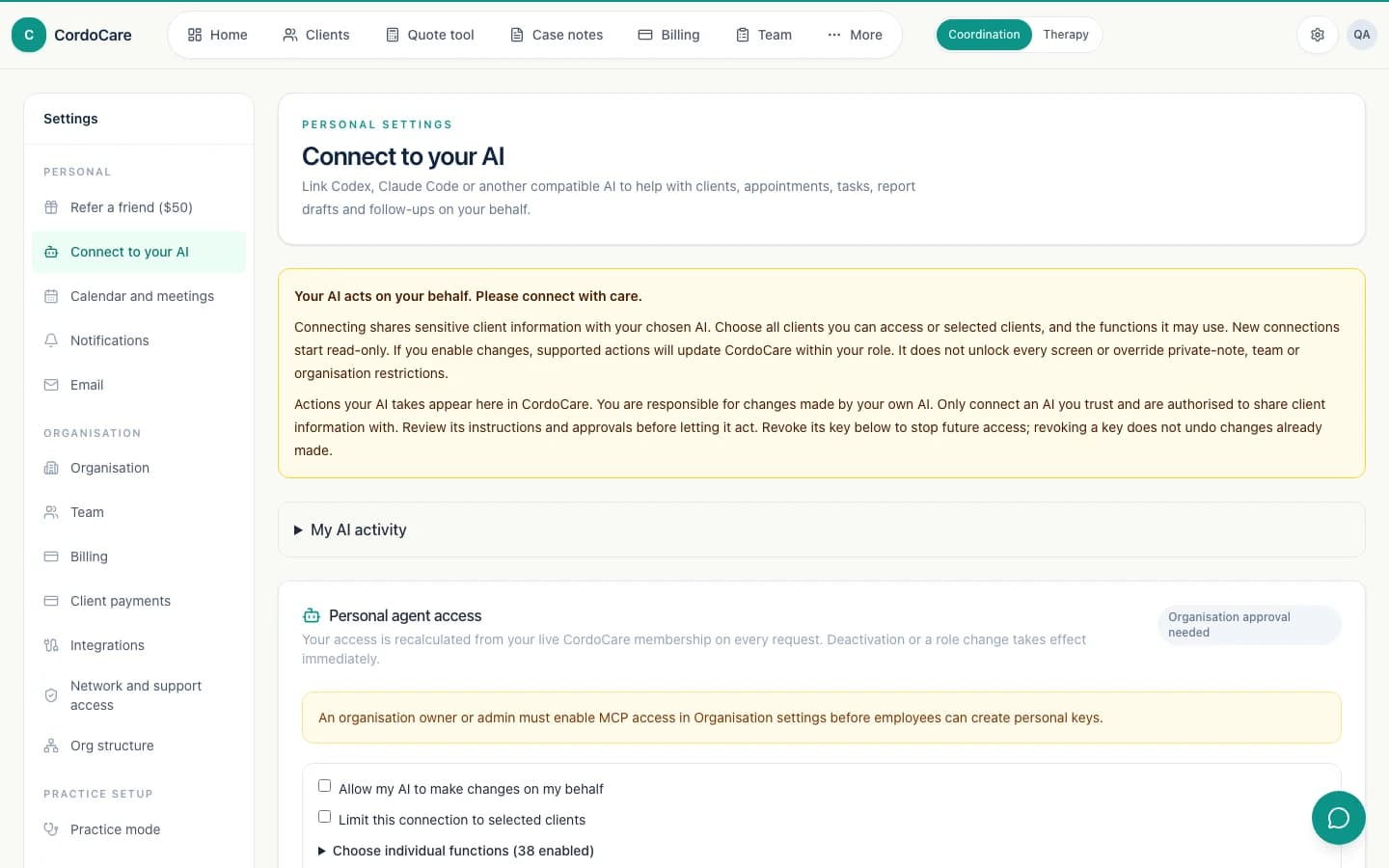
CordoCare MCP settings showing expiring keys and role-scoped permissions
STEP 03

Let authorised AI agents do real work without becoming super-admins.

The organisation enables CordoCare MCP. Each employee creates an expiring personal key, and every request is checked against current role, team and participant access.

  • Participant, case note, task, billing and team tools
  • Organisation, role and participant boundaries
  • Audited, idempotent and reversible actions where supported
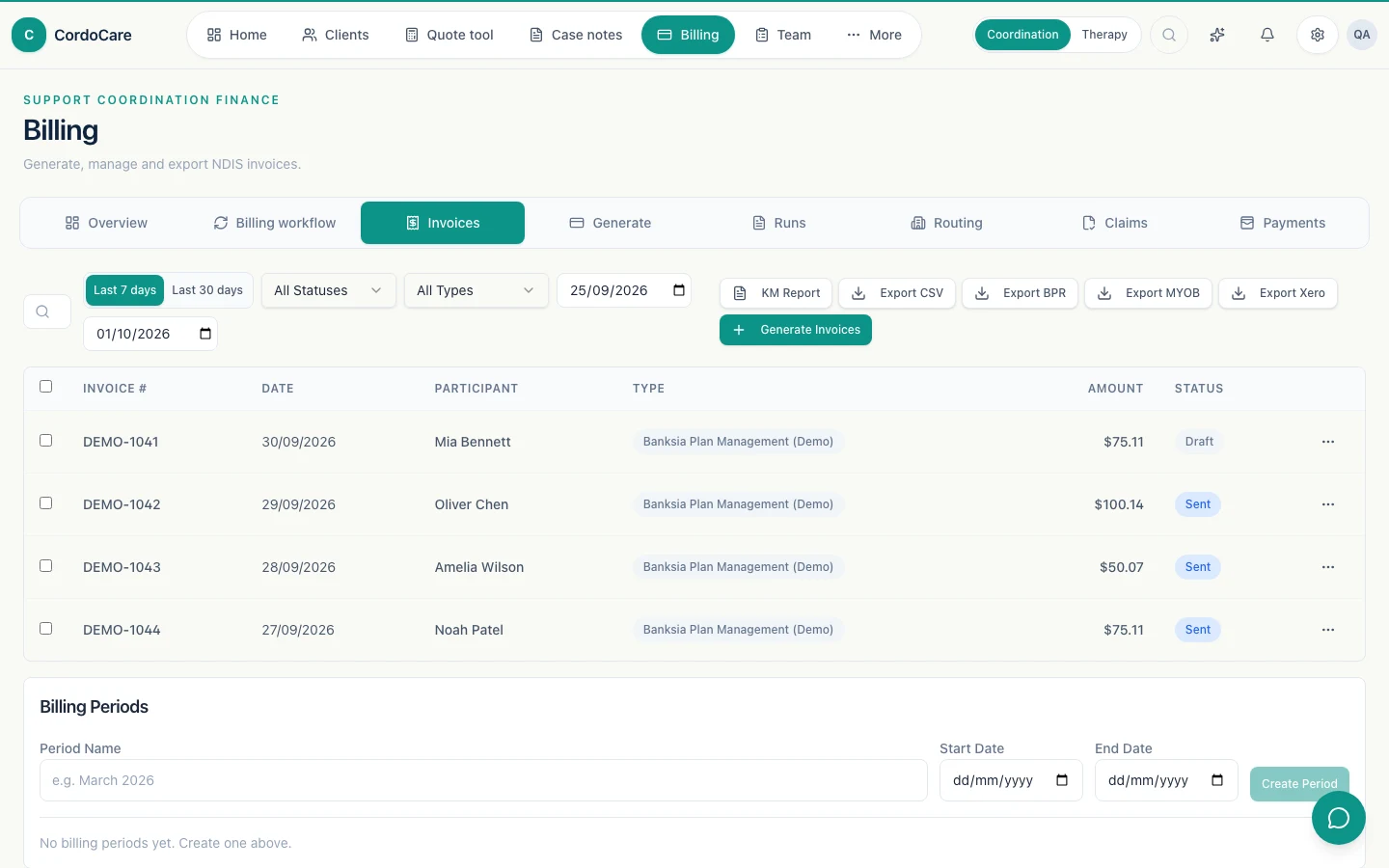
CordoCare billing dashboard with invoice generation, routing and export options
STEP 04

Finish with a billing trail that still has its evidence.

Review unbilled work, create invoices, apply the right funding route and generate checked files for NDIA, plan manager, Xero or MYOB-ready workflows.

  • Finalised notes remain connected to invoice lines
  • Funding routing and duplicate protections
  • Billing runs, invoice tracking and checked exports

Product tour FAQs

Questions about how CordoCare works in practice.

What can I see in the CordoCare product tour?

The tour shows current CordoCare client records, AI-assisted notes, role-scoped MCP agents and billing workflows using synthetic demonstration data.

Does the product tour cover both Support Coordination and Allied Health?

Yes. The shared client, note, task, reporting, billing and security foundations apply across both workspaces. The dedicated product pages explain the workflows unique to Support Coordination and Therapy & Allied Health.

Can CordoCare be used on a phone?

Yes. CordoCare is responsive and supports mobile workflows such as reviewing client context, recording case or clinical notes and completing follow-up while away from a desk.

Do AI-generated notes become final automatically?

No. AI-assisted notes remain drafts for an authorised person to review, correct and approve before they become part of the final record or billing workflow.

Can an AI agent access every record in the organisation?

No. CordoCare MCP checks the current organisation, role, team and client or participant scope for every request. Agent access does not override staff permissions.

Can I try the workflows shown in the tour?

Yes. Both CordoCare products include a card-backed 14-day free trial. Nothing is charged during the trial, and the selected monthly plan begins unless it is cancelled first.

Try the whole workflow with your own coordination practice.

Nothing charged for 14 days, no seat minimum and unlimited participants on the Practice plan.

Start free 14-day trial